Push It Real Good: When Your GraphQL API Learns to Talk Back
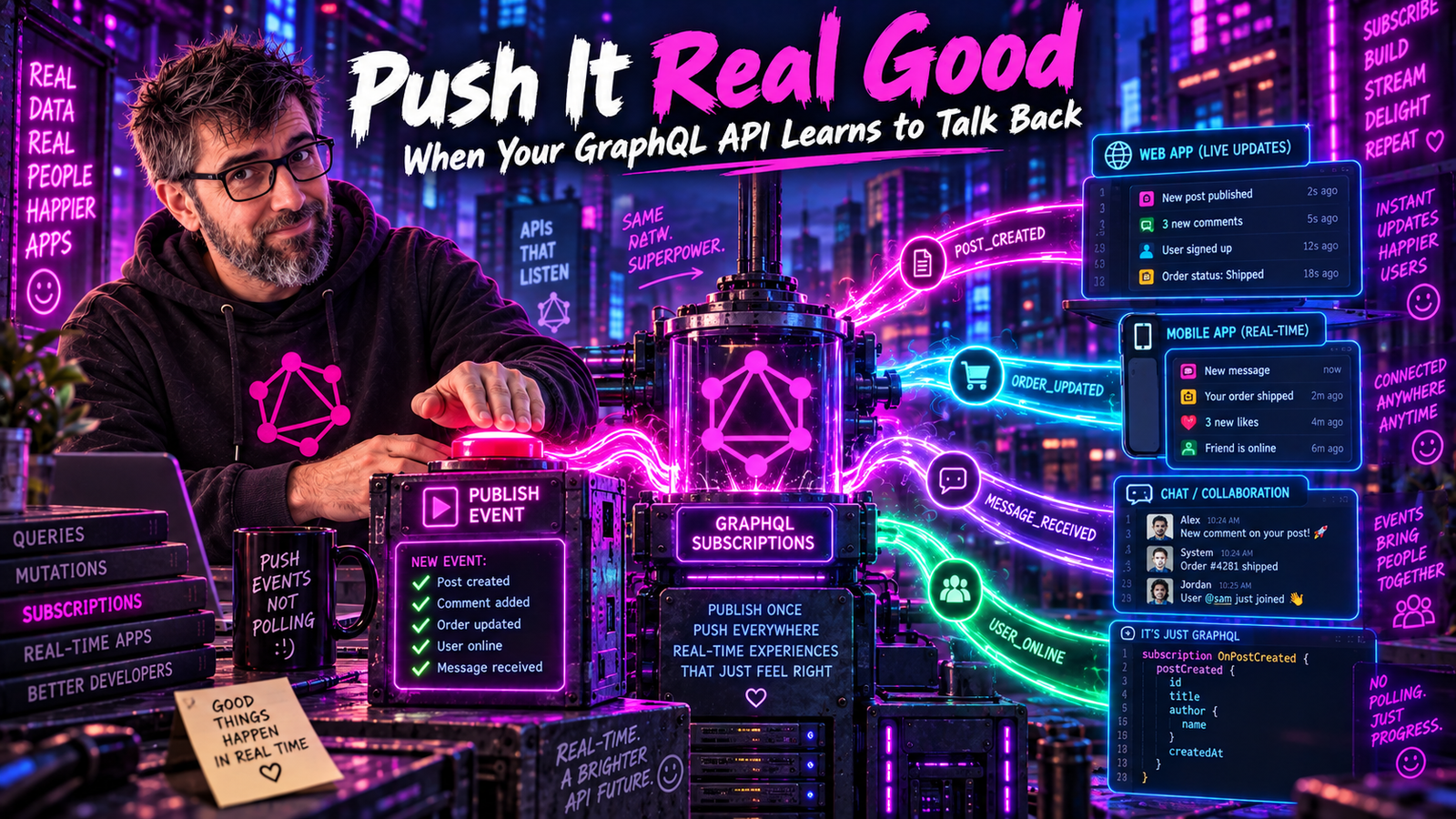
Your REST API is like a teenager: it only responds when you ask it something. Repeatedly. Every second. "Any new messages?" "No." "Any new messages?" "No." "Any new messages?" "STILL NO." Enter GraphQL Subscriptions - where your API finally grows up and learns to call YOU when something interesting happens.
The Polling Problem
We've all written this code. We're not proud of it:
// The shameful polling loop
setInterval(async () => {
  const messages = await fetch('/api/messages?since=' + lastTimestamp);
  if (messages.length > 0) {
    updateUI(messages);
    lastTimestamp = messages[messages.length - 1].timestamp;
  }
}, 1000);  // Every. Single. Second.
Let's do the math on this crime against humanity:
1 user polling every second:
- 60 requests/minute
- 3,600 requests/hour
- 86,400 requests/day
10,000 users:
- 864,000,000 requests/day
- 99.9% of which return "nothing new"
Average latency to see new message: 500ms (half the interval). User experience: "Why is this app so laggy?"
There has to be a better way. (Spoiler: there is.)
Enter Subscriptions
GraphQL Subscriptions flip the script. Instead of asking "got anything?", you say "tell me when you do":
subscription MessageReceived {
  messageReceived(channelId: "general") {
    id
    content
    author {
      name
      avatar
    }
    createdAt
  }
}
The server keeps the connection open and pushes data when events occur. Revolutionary? Not really - WebSockets have existed since 2011. But GraphQL makes it elegant.
| Aspect | Polling | Subscriptions |
|---|---|---|
| Communication | Client asks repeatedly | Client subscribes once |
| Requests | Many | Few |
| Latency | High (polling interval) | Near-zero |
| Efficiency | Low | High |
Implementing Subscriptions in Spring GraphQL
Let's build a real-time chat feature. First, the schema:
type Subscription {
  messageReceived(channelId: ID!): Message!
  userTyping(channelId: ID!): TypingIndicator!
  onlineStatusChanged: UserStatus!
}

type Message {
  id: ID!
  content: String!
  author: User!
  channelId: ID!
  createdAt: DateTime!
}

type TypingIndicator {
  user: User!
  channelId: ID!
  isTyping: Boolean!
}

type UserStatus {
  user: User!
  status: OnlineStatus!
}

enum OnlineStatus {
  ONLINE
  AWAY
  OFFLINE
}
The schema declares three subscription fields, but per the GraphQL spec a subscription operation must select exactly one root field (counting through fragments). Listening to all three above means three separate subscription operations / WebSocket subscribes, not one subscription with three fields in its selection set.
Now the Spring implementation:
@Controller
public class ChatSubscriptionController {

    private final Sinks.Many<Message> messageSink = Sinks.many().multicast().onBackpressureBuffer();
    private final Sinks.Many<TypingIndicator> typingSink = Sinks.many().multicast().onBackpressureBuffer();

    @SubscriptionMapping
    public Flux<Message> messageReceived(@Argument String channelId) {
        return messageSink.asFlux()
            .filter(message -> message.getChannelId().equals(channelId));
    }

    @SubscriptionMapping
    public Flux<TypingIndicator> userTyping(@Argument String channelId) {
        return typingSink.asFlux()
            .filter(indicator -> indicator.getChannelId().equals(channelId));
    }

    // Called when a new message is created
    public void publishMessage(Message message) {
        messageSink.tryEmitNext(message);
    }

    // Called when user starts/stops typing
    public void publishTyping(TypingIndicator indicator) {
        typingSink.tryEmitNext(indicator);
    }
}
The magic ingredient: Reactor Sinks. They're like message boards where publishers post and subscribers read.
The WebSocket Dance
Under the hood, GraphQL subscriptions typically use WebSockets. Here's the choreography:
Spring WebSocket Configuration
For GraphQL subscriptions you do not use Spring's STOMP messaging stack (@EnableWebSocketMessageBroker, MessageBrokerRegistry, StompEndpointRegistry). Spring GraphQL has its own WebSocket handler that speaks the graphql-transport-ws subprotocol. Just enable it via configuration:
# application.yml
spring:
  graphql:
    websocket:
      path: /graphql
That single property registers the GraphQL WebSocket endpoint at /graphql. For per-connection auth and other interception, use Spring GraphQL's WebSocketGraphQlInterceptor:
@Configuration
public class GraphQlWebSocketConfig {

    @Bean
    public WebSocketGraphQlInterceptor authInterceptor() {
        return new WebSocketGraphQlInterceptor() {
            @Override
            public Mono<Object> handleConnectionInitialization(
                    WebSocketSessionInfo info,
                    Map<String, Object> payload) {

                String token = (String) payload.get("authToken");
                if (token == null || !validateToken(token)) {
                    return Mono.error(new UnauthorizedException("Invalid token"));
                }

                // Store user info for later use
                info.getAttributes().put("userId", extractUserId(token));
                return Mono.just(Collections.singletonMap("accepted", true));
            }
        };
    }
}
Real-World Patterns
Pattern 1: The Filtered Firehose
Not everyone wants every event. Filter server-side to save bandwidth:
@SubscriptionMapping
public Flux<Notification> notifications(DataFetchingEnvironment env) {
    String userId = env.getGraphQlContext().get("userId");

    return notificationSink.asFlux()
        .filter(n -> n.getRecipientId().equals(userId))
        .filter(n -> !isBlocked(userId, n.getSenderId()))
        .filter(n -> matchesUserPreferences(userId, n.getType()));
}
Pattern 2: The Heartbeat
WebSocket connections die silently. Keep them alive:
@SubscriptionMapping
public Flux<Object> heartbeat() {
    return Flux.interval(Duration.ofSeconds(30))
        .map(tick -> Collections.singletonMap("timestamp", Instant.now()));
}
Client-side:
subscription.subscribe({
  next: (data) => {
    if (data.heartbeat) {
      lastHeartbeat = Date.now();
    } else {
      handleRealData(data);
    }
  }
});

// Reconnect if no heartbeat in 60 seconds
setInterval(() => {
  if (Date.now() - lastHeartbeat > 60000) {
    reconnect();
  }
}, 10000);
Pattern 3: The Replay Buffer
Late joiners shouldn't miss the party:
@Component
public class ReplayingMessageSink {

    private final Sinks.Many<Message> sink = Sinks.many()
        .replay()
        .limit(Duration.ofMinutes(5));  // Keep last 5 minutes

    public Flux<Message> subscribe(String channelId, Instant since) {
        return sink.asFlux()
            .filter(m -> m.getChannelId().equals(channelId))
            .filter(m -> m.getCreatedAt().isAfter(since));
    }
}
Pattern 4: The Debounced Typing Indicator
Nobody needs 50 "user is typing" events per second:
@SubscriptionMapping
public Flux<TypingIndicator> userTyping(@Argument String channelId) {
    return typingSink.asFlux()
        .filter(t -> t.getChannelId().equals(channelId))
        .groupBy(TypingIndicator::getUserId)
        .flatMap(group -> group
            .sampleFirst(Duration.ofMillis(500))  // Debounce per user
        );
}
Scaling Subscriptions
One server is easy. Multiple servers? That's where it gets spicy.
Without shared state, users on different servers miss each other's messages:
- User A → Server 1 (subscribed to "general")
- User B → Server 2 (subscribed to "general")
- User C → Server 1 (posts message to "general") - User B never sees it!
Solution: Pub/Sub middleware (Redis, Kafka, etc.)
Redis-Backed Subscriptions
@Configuration
public class RedisSubscriptionConfig {

    @Bean
    public ReactiveRedisTemplate<String, Message> redisTemplate(
            ReactiveRedisConnectionFactory factory) {
        return new ReactiveRedisTemplate<>(factory,
            RedisSerializationContext.fromSerializer(new Jackson2JsonRedisSerializer<>(Message.class)));
    }
}

@Component
public class DistributedMessageSink {

    private final ReactiveRedisTemplate<String, Message> redis;
    private final Sinks.Many<Message> localSink = Sinks.many().multicast().onBackpressureBuffer();

    @PostConstruct
    public void subscribeToRedis() {
        redis.listenToChannel("messages")
            .map(msg -> msg.getMessage())
            .subscribe(localSink::tryEmitNext);
    }

    public void publish(Message message) {
        // Publish to Redis, which broadcasts to all servers
        redis.convertAndSend("messages", message).subscribe();
    }

    public Flux<Message> subscribe(String channelId) {
        return localSink.asFlux()
            .filter(m -> m.getChannelId().equals(channelId));
    }
}
Client-Side Subscription Handling
Apollo Client makes subscriptions surprisingly painless:
import { useSubscription, gql } from '@apollo/client';

const MESSAGE_SUBSCRIPTION = gql`
  subscription MessageReceived($channelId: ID!) {
    messageReceived(channelId: $channelId) {
      id
      content
      author {
        id
        name
        avatar
      }
      createdAt
    }
  }
`;

function ChatRoom({ channelId }) {
  const { data, loading, error } = useSubscription(MESSAGE_SUBSCRIPTION, {
    variables: { channelId },
    onData: ({ data }) => {
      // Play notification sound, update badge, etc.
      // (`onSubscriptionData` was deprecated in Apollo Client 3.7
      // and removed in 4.x; use `onData` instead.)
      playNotificationSound();
    }
  });

  if (loading) return <p>Connecting...</p>;
  if (error) return <p>Connection error: {error.message}</p>;

  return <MessageBubble message={data.messageReceived} />;
}
Combining Queries and Subscriptions
The classic pattern: query for initial data, subscribe for updates:
function ChatRoom({ channelId }) {
  // Initial data
  const { data: initialData, loading } = useQuery(GET_MESSAGES, {
    variables: { channelId, limit: 50 }
  });

  // Real-time updates
  const { data: newMessage } = useSubscription(MESSAGE_SUBSCRIPTION, {
    variables: { channelId },
    onData: ({ client, data: { data } }) => {
      // Update the cache with the new message
      const existing = client.readQuery({
        query: GET_MESSAGES,
        variables: { channelId, limit: 50 }
      });

      client.writeQuery({
        query: GET_MESSAGES,
        variables: { channelId, limit: 50 },
        data: {
          messages: [...existing.messages, data.messageReceived]
        }
      });
    }
  });

  // Render messages...
}
Error Handling
Subscriptions fail. Networks drop. Servers restart. Handle it gracefully:
const { data, error } = useSubscription(MESSAGE_SUBSCRIPTION, {
  variables: { channelId },
  onError: (error) => {
    console.error('Subscription error:', error);

    // Categorize the error. Branch on machine-readable codes in
    // extensions, never on message text - messages get reworded.
    const code = error.graphQLErrors?.[0]?.extensions?.code;
    if (code === 'UNAUTHENTICATED') {
      // Re-authenticate and retry
      refreshToken().then(() => resubscribe());
    } else if (error.networkError) {
      // Network issue - will auto-reconnect
      showToast('Connection lost. Reconnecting...');
    } else {
      // Unknown error
      showToast('Something went wrong. Please refresh.');
    }
  },
  shouldResubscribe: true  // Auto-resubscribe after errors
});
Server-side error handling:
@SubscriptionMapping
public Flux<Message> messageReceived(@Argument String channelId,
                                      DataFetchingEnvironment env) {
    String userId = env.getGraphQlContext().get("userId");

    if (userId == null) {
        return Flux.error(new UnauthorizedException("Must be authenticated"));
    }

    if (!hasAccessToChannel(userId, channelId)) {
        return Flux.error(new ForbiddenException("No access to channel"));
    }

    return messageSink.asFlux()
        .filter(m -> m.getChannelId().equals(channelId))
        .onErrorResume(e -> {
            log.error("Subscription error for user {} in channel {}", userId, channelId, e);
            return Flux.error(new GraphQLException("Subscription failed"));
        });
}
Testing Subscriptions
Yes, you can (and should) test them:
@SpringBootTest(webEnvironment = SpringBootTest.WebEnvironment.RANDOM_PORT)
class SubscriptionIntegrationTest {

    @Autowired
    private GraphQlTester graphQlTester;

    @Autowired
    private ChatSubscriptionController chatController;

    @Test
    void shouldReceiveMessages() {
        // Subscribe
        Flux<Message> messages = graphQlTester.document("""
            subscription MessageReceived {
              messageReceived(channelId: "test-channel") {
                id
                content
              }
            }
            """)
            .executeSubscription()
            .toFlux("messageReceived", Message.class);

        // Publish a message
        Message testMessage = new Message("1", "Hello!", "test-channel");
        chatController.publishMessage(testMessage);

        // Verify
        StepVerifier.create(messages.take(1))
            .assertNext(message -> {
                assertThat(message.getContent()).isEqualTo("Hello!");
            })
            .verifyComplete();
    }
}
When NOT to Use Subscriptions
Subscriptions aren't always the answer:
Use Subscriptions When:
- Real-time updates are genuinely needed (chat, live scores, stock prices)
- Multiple clients need to see the same update simultaneously
- Low latency is critical
Don't Use Subscriptions When:
- Updates are infrequent (polling every 30 seconds is fine)
- Users can tolerate slight delays (email notifications)
- You're just trying to avoid "refresh to see updates" complaints
- Your infrastructure can't handle persistent connections at scale
| Update Frequency | Users | Infrastructure | Recommendation |
|---|---|---|---|
| < 1/minute | Any | Any | Polling |
| 1-10/minute | < 1K | Simple | Polling |
| 1-10/minute | < 1K | With Redis | Subscription |
| 10+/minute | Any | Any | Subscription |
| Real-time critical | Any | Any | Subscription |
The Subscription Checklist
Before you ship subscriptions to production:
- Authentication on connection init
- Authorization per subscription
- Rate limiting (subscriptions per user)
- Connection limits (max connections per user)
- Heartbeat mechanism
- Graceful reconnection handling
- Horizontal scaling with pub/sub
- Monitoring (active connections, message throughput)
- Load testing with realistic connection counts
- Fallback mechanism if subscriptions fail
Conclusion
GraphQL Subscriptions transform your API from a polite servant ("What would you like, sir?") into a proactive assistant ("Sir, you should know...").
They're not magic - under the hood, it's WebSockets and event streams. But GraphQL's type system means your real-time data is just as strongly typed and well-documented as your queries.
Start simple: one subscription, one use case. Add pub/sub when you scale. And remember - not everything needs to be real-time. Sometimes, polling every 30 seconds is the right answer.
But when you need that instant notification, that live update, that "wow, this feels responsive" experience - subscriptions are your friend.
Now go make your API talk back. It has a lot to say.
You had to request this post before the server sent it, which is a little embarrassing for an article about servers that send data without being asked.