HTTP: The Protocol That Carries Your GraphQL (Whether It Likes It or Not)
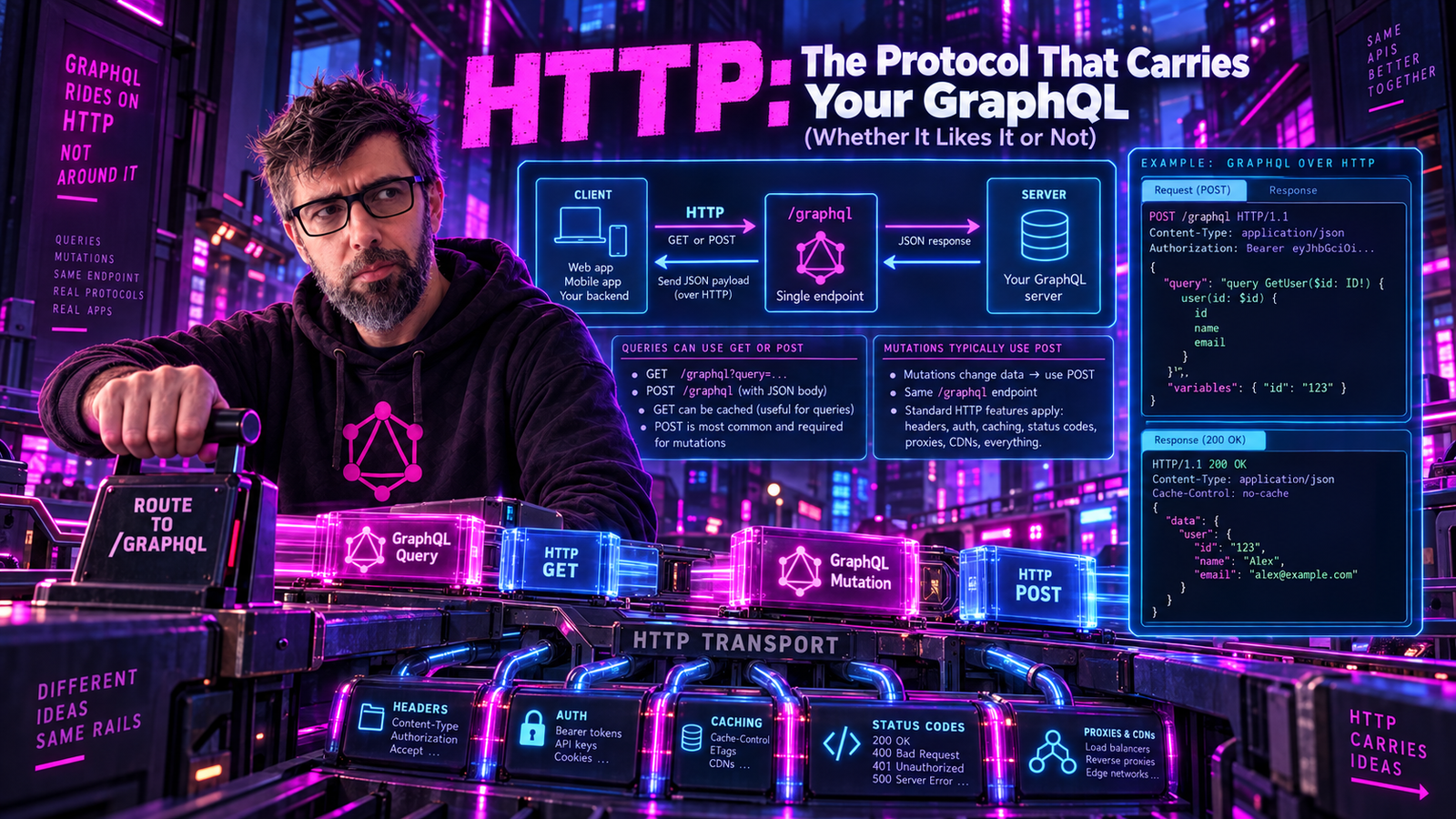
Every GraphQL query you send travels over HTTP. Every response comes back the same way. But here's the thing: HTTP was designed for fetching documents, not executing queries. GraphQL essentially hijacked a delivery truck and turned it into a taxi service. Let's explore the protocol that makes it all possible.
The Origin Story
HTTP - Hypertext Transfer Protocol - was invented by Tim Berners-Lee in 1989 at CERN. The original goal? Link scientific documents together so physicists could share research. Fast forward 35 years, and it's carrying cat videos, financial transactions, and yes, your carefully crafted GraphQL mutations.
| Year | Version | Key Features |
|---|---|---|
| 1989 | - | Tim Berners-Lee proposes the World Wide Web at CERN |
| 1991 | HTTP/0.9 | One-line protocol, GET only, no headers |
| 1996 | HTTP/1.0 | RFC 1945: added headers, POST, status codes |
| 1997 | HTTP/1.1 | RFC 2068: persistent connections, chunked transfer |
| 1999 | HTTP/1.1 | RFC 2616: the definitive version for 15 years |
| 2014 | HTTP/1.1 | RFC 7230-7235: clarified and split into parts |
| 2015 | HTTP/2 | RFC 7540: binary framing, multiplexing |
| 2022 | HTTP (revised) | RFC 9110-9114: HTTP Semantics, Caching, HTTP/1.1, HTTP/2 (RFC 9113 supersedes 7540), and HTTP/3 (RFC 9114, QUIC-based, UDP) all republished together |
HTTP/0.9: The Innocent Beginning
The original HTTP was adorably simple. The entire protocol was one line:
GET /page.html
That's it. No headers. No status codes. No content types. The server would respond with raw HTML and close the connection. Done.
Client → GET /hello.html

Server → <html>
          <body>Hello World</body>
          </html>
          [connection closed]
No status codes. No headers. Pure document transfer.
Could you run GraphQL over HTTP/0.9? Technically yes. Would it be a nightmare? Absolutely.
HTTP/1.0: Growing Up
HTTP/1.0 introduced the concepts we still use today:
GET /movie/123 HTTP/1.0
Host: api.example.com
Accept: application/json
User-Agent: GraphQLClient/1.0

HTTP/1.0 200 OK
Content-Type: application/json
Content-Length: 127

{"data":{"movie":{"id":"123","title":"The Matrix"}}}
The Request Anatomy
| Part | Content |
|---|---|
| Request Line | POST /graphql HTTP/1.1 |
| Headers | Host: api.example.com |
Content-Type: application/json | |
Authorization: Bearer eyJhbGc... | |
Content-Length: 62 | |
| Blank Line | (separates headers from body) |
| Body | {"query":"query MovieTitle { movie(id: \"1\") { title } }"} |
HTTP Methods: The Verbs
HTTP defines methods (verbs) for different operations:
| Method | Idempotent | Safe | Body | Purpose |
|---|---|---|---|---|
| GET | Yes | Yes | No* | Retrieve resource |
| HEAD | Yes | Yes | No | Get headers only |
| POST | No | No | Yes | Create/submit data |
| PUT | Yes | No | Yes | Replace resource |
| PATCH | No | No | Yes | Partial update |
| DELETE | Yes | No | No* | Remove resource |
| OPTIONS | Yes | Yes | No | Get allowed methods |
| TRACE | Yes | Yes | No | Debug/echo request |
| CONNECT | No | No | Yes | Establish tunnel |
* Technically allowed but rarely used.
GraphQL uses: POST (always), GET (queries only, optional).
GraphQL's controversial choice: GraphQL uses POST for everything - queries, mutations, subscriptions. This violates REST conventions where GET should be used for reads. But GraphQL has good reasons:
- Query strings have length limits (~2000-8000 chars depending on browser/server)
- GraphQL queries can be massive (nested selections, fragments, variables)
- Caching is handled differently anyway (operation-level, not URL-level)
Status Codes: How HTTP Talks Back
HTTP status codes are three-digit numbers that tell you what happened:
| Code | Name | Meaning |
|---|---|---|
| 1xx - Informational | ||
| 100 | Continue | "Keep sending that body" |
| 101 | Switching Protocols | "Upgrading to WebSocket now" |
| 2xx - Success | ||
| 200 | OK | "Here's your data" |
| 201 | Created | "Resource created successfully" |
| 204 | No Content | "Done, nothing to return" |
| 3xx - Redirection | ||
| 301 | Moved Permanently | "Permanently moved, update your links" |
| 302 | Found | "Temporarily over there" |
| 304 | Not Modified | "Use your cached version" |
| 4xx - Client Error | ||
| 400 | Bad Request | "I can't understand your request" |
| 401 | Unauthorized | "Who are you?" |
| 403 | Forbidden | "I know who you are, and no" |
| 404 | Not Found | "That doesn't exist" |
| 429 | Too Many Requests | "Slow down there, buddy" |
| 5xx - Server Error | ||
| 500 | Internal Error | "Something broke" |
| 502 | Bad Gateway | "Upstream server failed" |
| 503 | Unavailable | "Server is overloaded or down" |
| 504 | Gateway Timeout | "Upstream took too long" |
GraphQL's Status Code Philosophy
Here's where GraphQL gets weird. Traditionally, a GraphQL response almost always returns 200 OK, even when there are errors:
HTTP/1.1 200 OK
Content-Type: application/json

{
  "data": null,
  "errors": [
    {
      "message": "User not found",
      "path": ["user"]
    }
  ]
}
Wait, what? The user wasn't found but we got 200 OK?
GraphQL's reasoning:
- The HTTP request succeeded (it reached the server, was parsed, was executed)
- The GraphQL execution had errors, but that's GraphQL-level, not HTTP-level
- Partial success is possible (some fields resolve, others fail)
| HTTP Code | When | GraphQL Response |
|---|---|---|
| 200 OK | Executed cleanly, no errors | { data } |
| 294 Partial Success | Executed, errors alongside data | { data, errors } |
| 400 | Malformed JSON, or the document could not be parsed | { errors } |
| 422 | Parsed but invalid: failed validation, bad variables | { errors } |
| 401 / 403 | Authentication / authorization required | (varies) |
| 405 | Wrong method (e.g. GET for mutation) | (varies) |
| 5xx | Server failed before producing a GraphQL response | (varies) |
Legacy servers still return 200 for everything that executes, reserving 4xx/5xx for transport-level failures. The accurate codes above apply when the client accepts the newer application/graphql-response+json media type.
That said, the always-200 era is ending. The GraphQL-over-HTTP specification defines a dedicated response media type, application/graphql-response+json, and a client that accepts it promises to read the body no matter what the status code says. That frees servers to send honest codes for the benefit of everything that can't parse GraphQL: your CDN, your gateway, and your dashboards can tell a clean 200 from a 294 Partial Success from a 422 without opening a single response body.
HTTP Headers: The Metadata Layer
Headers are key-value pairs that provide metadata about the request or response.
Essential Request Headers
POST /graphql HTTP/1.1
Host: api.movies.com                    # Required in HTTP/1.1
Content-Type: application/json          # What format is the body?
Content-Length: 156                     # How big is the body?
Accept: application/json                # What format do you want back?
Authorization: Bearer eyJhbGciOiJIUzI1NiIsInR5cCI6IkpXVCJ9...
User-Agent: MyApp/1.0                   # Who's calling?
Accept-Encoding: gzip, deflate          # Compression we understand
Connection: keep-alive                  # Don't close after response
Essential Response Headers
HTTP/1.1 200 OK
Content-Type: application/json; charset=utf-8
Content-Length: 1234
Content-Encoding: gzip                  # Response is compressed
Cache-Control: no-store                 # Don't cache this
Date: Mon, 24 Jun 2024 10:30:00 GMT
X-Request-Id: abc123                    # For debugging/tracing
Headers That Matter for GraphQL
Request Headers:
| Header | Purpose |
|---|---|
Content-Type: application/json | Standard for GraphQL |
Content-Type: application/graphql | Alternative (query in body) |
Authorization: Bearer <token> | Auth token |
X-Request-ID: <uuid> | Request tracing |
Apollo-Require-Preflight: true | Apollo Client specific |
Response Headers:
| Header | Purpose |
|---|---|
Content-Type: application/graphql-response+json | The spec's response media type (application/json for legacy clients) |
Cache-Control: no-store | Usually no caching |
X-Cache: HIT/MISS | CDN cache status |
Retry-After: 60 | Rate limiting hint |
HTTP/1.1: The Workhorse
HTTP/1.1 (1997-2015) was the dominant protocol version for nearly two decades. Key features:
Persistent Connections
HTTP/1.0 closed the connection after each request. HTTP/1.1 keeps it open:
Chunked Transfer Encoding
Don't know the size upfront? Stream it:
HTTP/1.1 200 OK
Transfer-Encoding: chunked

7\r\n
{"data"\r\n
5\r\n
:{"m\r\n
8\r\n
ovie":{}\r\n
2\r\n
}}\r\n
0\r\n
\r\n
This is crucial for GraphQL subscriptions and streaming responses (like @defer and @stream).
The Head-of-Line Blocking Problem
HTTP/1.1's fatal flaw: requests must be processed in order:
Requests must be processed in order:
- Client sends: Request A, Request B, Request C
- Server processes: A first (slow!), then B, then C
- Client receives: Response A, Response B, Response C - in order
If Request A is slow (complex query), B and C wait!
Workaround: Open multiple TCP connections (typically 6 per host) - but more connections means more overhead and more latency.
For GraphQL, this means a slow query blocks subsequent queries on the same connection.
HTTP/2: The Multiplexing Revolution
HTTP/2 (2015) fixed head-of-line blocking with multiplexing:
All streams run simultaneously on ONE connection:
- Stream 1:
[Frame][Frame][Frame]→ Response A - Stream 3:
[Frame][Frame]→ Response B - Stream 5:
[Frame][Frame][Frame][Frame]→ Response C - Stream 7:
[Frame]→ Response D
Key Features:
- Binary framing (more efficient than text)
- Header compression (HPACK)
- Server push (preemptively send resources) - note: effectively dead in browsers (Chrome disabled it by default in version 106, September 2022; Firefox removed it in version 132). Apollo and other tools don't rely on it. Largely a footnote feature now.
- Stream prioritization
HTTP/2 Frame Types
HTTP/2 is binary, not text. Messages are split into frames:
| Type | Code | Purpose |
|---|---|---|
| DATA | 0x0 | Request/response body |
| HEADERS | 0x1 | HTTP headers |
| PRIORITY | 0x2 | Stream priority |
| RST_STREAM | 0x3 | Cancel a stream |
| SETTINGS | 0x4 | Connection settings |
| PUSH_PROMISE | 0x5 | Server push |
| PING | 0x6 | Keep-alive/latency measurement |
| GOAWAY | 0x7 | Graceful shutdown |
| WINDOW_UPDATE | 0x8 | Flow control |
| CONTINUATION | 0x9 | Header continuation |
Each frame contains a 9-byte header: Length (24 bits), Type (8 bits), Flags (8 bits), Stream Identifier (31 bits).
GraphQL Benefits from HTTP/2
Scenario: Dashboard loading 5 GraphQL queries simultaneously.
| Aspect | HTTP/1.1 | HTTP/2 |
|---|---|---|
| Connections | 5 connections (or queued) | 1 connection, 5 streams |
| TCP Handshakes | 5 (one per connection) | 1 total |
| Query isolation | Slow query blocks others | Queries complete independently |
| Headers | Full headers each time | Compressed (HPACK) |
Result: Faster perceived performance, less server load.
HTTP/3: The QUIC Revolution
HTTP/3 (2022) replaces TCP with QUIC (UDP-based):
| Feature | HTTP/1.1 | HTTP/2 | HTTP/3 |
|---|---|---|---|
| Transport | TCP | TCP | QUIC (UDP) |
| Multiplexing | No | Yes | Yes |
| Header Compression | No | HPACK | QPACK |
| Encryption | Optional | Optional* | Mandatory |
| HOL Blocking | Yes | TCP-level | No |
| Connection Setup | 1-3 RTT | 1-3 RTT | 0-1 RTT |
| Connection Migration | No | No | Yes |
* Browsers require HTTPS for HTTP/2.
Why QUIC Matters
HTTP/2 solved application-level head-of-line blocking but TCP still has it:
With packet loss:
- Stream 1: Packet 1, Packet 2, Packet 3
- Stream 2: Packet 4 (lost), Packet 5
- Stream 3: Packet 6, Packet 7, Packet 8
TCP blocks ALL streams until Packet 4 is retransmitted - Streams 1 and 3 wait for Stream 2's lost packet.
HTTP/3 over QUIC: Each stream is independent at the transport level. Packet loss on Stream 2 only affects Stream 2.
Zero Round Trip Connection (0-RTT)
Content Negotiation
HTTP lets clients and servers negotiate format, language, and encoding:
# Request
GET /graphql HTTP/1.1
Accept: application/json, application/xml;q=0.9, */*;q=0.1
Accept-Language: en-US, en;q=0.9, de;q=0.8
Accept-Encoding: gzip, deflate, br

# Response
HTTP/1.1 200 OK
Content-Type: application/json; charset=utf-8
Content-Language: en-US
Content-Encoding: gzip
Vary: Accept, Accept-Encoding
The q parameter indicates preference (0.0-1.0):
application/json- implied q=1.0 (most preferred)application/xml;q=0.9- second choice*/*;q=0.1- anything else as last resort
Caching: The HTTP Superpower
HTTP has sophisticated caching built in:
Response Headers (server → cache):
| Header | Purpose |
|---|---|
Cache-Control: max-age=3600 | Cache for 1 hour |
Cache-Control: no-cache | Validate before using |
Cache-Control: no-store | Never cache |
Cache-Control: private | Only browser cache |
Cache-Control: public | CDN can cache too |
ETag: "abc123" | Content fingerprint |
Last-Modified: ... | When content changed |
Vary: Accept-Encoding | Cache varies by this header |
Request Headers (client → server):
| Header | Purpose |
|---|---|
If-None-Match: "abc123" | Return 304 if ETag matches |
If-Modified-Since: ... | Return 304 if unchanged |
Cache-Control: no-cache | Force fresh response |
The GraphQL Caching Problem
Here's why GraphQL and HTTP caching don't play nice:
# REST (cacheable by URL)
GET /movies/123 HTTP/1.1
# Cache key: /movies/123
# Easy to cache!

# GraphQL (same URL, different data)
POST /graphql HTTP/1.1

{"query": "query MovieTitle { movie(id: \"123\") { title } }"}

# vs

{"query": "query MovieDetails { movie(id: \"123\") { title director { name } reviews { rating } } }"}

# Same URL, same method, totally different responses!
Solutions:
- Persisted Queries (Apollo, Relay) -
GET /graphql?id=abc123&variables={"id":"1"}- now cacheable by URL - CDN Response Caching - response includes
{ "extensions": { "cacheControl": {...} } }, CDN parses and caches accordingly - Application-Level Caching - cache at resolver level; use DataLoader for request-scoped caching, Redis/Memcached for cross-request
- Normalized Client Cache (Apollo Client, Relay) - client caches entities by ID; different queries share cached entities
CORS: The Browser's Security Guard
Cross-Origin Resource Sharing controls which websites can call your API:
GraphQL CORS gotcha: GraphQL always sends Content-Type: application/json, which triggers preflight. Every first request to your API has this overhead.
CORS Configuration Example (Spring)
@Configuration
public class CorsConfig implements WebMvcConfigurer {

    @Override
    public void addCorsMappings(CorsRegistry registry) {
        registry.addMapping("/graphql")
            .allowedOrigins("https://myapp.com", "https://admin.myapp.com")
            .allowedMethods("POST", "GET", "OPTIONS")
            .allowedHeaders("Content-Type", "Authorization")
            .allowCredentials(true)
            .maxAge(86400); // Cache preflight for 24 hours
    }
}
WebSocket Upgrade: Real-Time GraphQL
GraphQL subscriptions often use WebSocket, which starts as HTTP:
# Upgrade Request
GET /graphql HTTP/1.1
Host: api.example.com
Upgrade: websocket
Connection: Upgrade
Sec-WebSocket-Key: dGhlIHNhbXBsZSBub25jZQ==
Sec-WebSocket-Protocol: graphql-transport-ws
Sec-WebSocket-Version: 13

# Upgrade Response
HTTP/1.1 101 Switching Protocols
Upgrade: websocket
Connection: Upgrade
Sec-WebSocket-Accept: s3pPLMBiTxaQ9kYGzzhZRbK+xOo=
Sec-WebSocket-Protocol: graphql-transport-ws
After this handshake, the connection switches from HTTP to WebSocket, and GraphQL subscription messages flow freely.
Security Headers
Beyond authentication, these headers protect your API:
| Header | Purpose |
|---|---|
Strict-Transport-Security | Force HTTPS |
X-Content-Type-Options | Prevent MIME sniffing |
X-Frame-Options | Prevent clickjacking |
Content-Security-Policy | Control resource loading |
X-XSS-Protection | Enable XSS filter (legacy) |
Referrer-Policy | Control referer header |
Example for a GraphQL API:
Strict-Transport-Security: max-age=31536000; includeSubDomains
X-Content-Type-Options: nosniff
X-Frame-Options: DENY
Content-Security-Policy: default-src 'none'; frame-ancestors 'none'
Debugging HTTP
Browser DevTools
| Phase | Description |
|---|---|
| Queueing | Wait for connection |
| Stalled | Blocked by browser limits |
| DNS Lookup | Resolve domain name |
| Initial Connection | TCP handshake |
| SSL | TLS handshake |
| Request Sent | Upload request |
| Waiting (TTFB) | Time to first byte - server processing |
| Content Download | Receive response |
For GraphQL, "Waiting (TTFB)" is usually the biggest chunk - that's your query execution time.
cURL for Testing
# Basic GraphQL query
curl -X POST https://api.example.com/graphql \
  -H "Content-Type: application/json" \
  -H "Authorization: Bearer token123" \
  -d '{"query": "query MovieTitles { movies { title } }"}'

# With verbose output (see all headers)
curl -v -X POST https://api.example.com/graphql \
  -H "Content-Type: application/json" \
  -d '{"query": "query MovieTitles { movies { title } }"}'

# Time the request
curl -w "@curl-format.txt" -o /dev/null -s \
  -X POST https://api.example.com/graphql \
  -H "Content-Type: application/json" \
  -d '{"query": "query MovieTitles { movies { title } }"}'
Summary
Typical GraphQL Request:
POST /graphql HTTP/1.1
Content-Type: application/json
Authorization: Bearer <token>

{"query": "...", "variables": {...}, "operationName": "..."}
Typical GraphQL Response:
HTTP/1.1 200 OK
Content-Type: application/json

{"data": {...}, "errors": [...], "extensions": {...}}
Key Points:
- GraphQL uses POST for everything (GET optional for queries)
- Legacy behavior is 200 for anything that executes; the GraphQL-over-HTTP spec now defines honest codes (400/422/294) with
application/graphql-response+json - Errors live in the response body; status codes are signal for the infrastructure in between
- HTTP caching is hard; use persisted queries or app-level cache
- Subscriptions upgrade to WebSocket
- HTTP/2+ recommended for multiplexed queries
Versions:
- HTTP/1.1: Works fine, but head-of-line blocking
- HTTP/2: Better, multiplexing over single connection
- HTTP/3: Best, QUIC eliminates TCP-level blocking
HTTP wasn't designed for GraphQL. It was designed for fetching hypertext documents in the early 90s. But here we are, using it to execute complex query languages, stream real-time updates, and build the modern web. That's the beauty of good protocol design - it bends without breaking.
Tim Berners-Lee invented HTTP to share physics papers. Now it carries an absurd amount of GraphQL traffic. I'm pretty sure that counts as scope creep.