JSON: The Lingua Franca of GraphQL (and Everything Else)
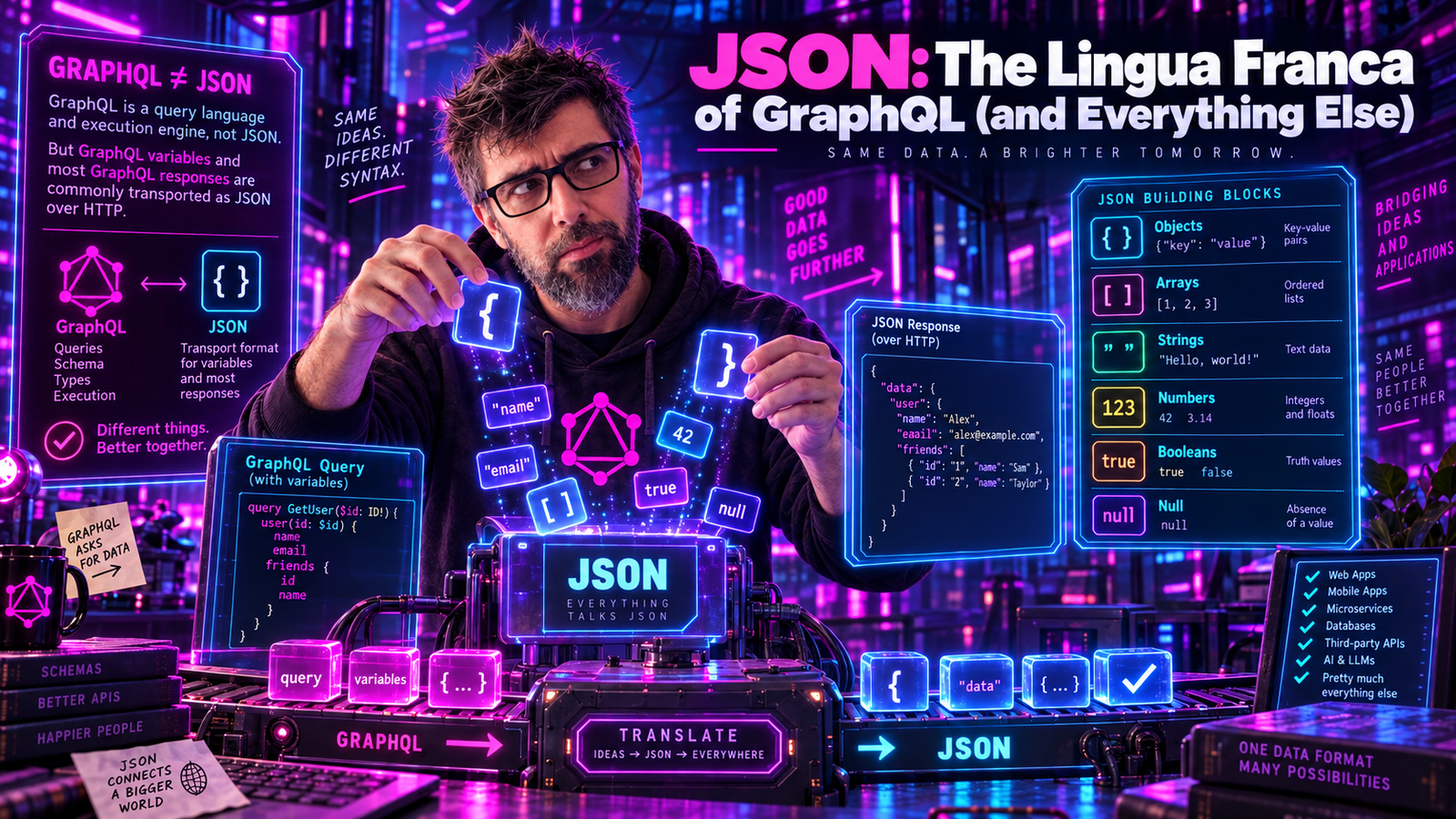
Every time you fire a GraphQL query, your beautifully crafted response comes back wrapped in JSON. But how well do you actually know JSON? Not "I can read it" know, I am talking about "I know exactly where the spec draws the line" know. Buckle up. We're going deep on the most successful data format the web has ever seen.
The Origin Story
JSON - JavaScript Object Notation - was formalized by Douglas Crockford in the early 2000s and published as RFC 4627 in 2006. But here's the twist: Crockford didn't invent JSON. He discovered it.
"I do not claim to have invented JSON."
- Douglas Crockford
JSON's syntax was already baked into JavaScript since its creation in 1995. Crockford simply recognized its potential as a standalone data interchange format and liberated it from the browser.
| Year | Milestone |
|---|---|
| 1995 | JavaScript created - JSON syntax already exists inside |
| 2002 | Douglas Crockford registers json.org |
| 2006 | RFC 4627 - First JSON specification |
| 2013 | ECMA-404 - The JSON Data Interchange Standard |
| 2014 | RFC 7159 - Updated RFC (clarifies edge cases) |
| 2017 | RFC 8259 - Current definitive JSON standard |
| Today | Literally everywhere: HTTP APIs, config files, databases, GraphQL responses, your IDE settings, probably your toaster |
The Six Sacred Types
JSON has exactly six data types. Not seven. Not five. Six. Memorize them.
Primitives:
| Type | Example | Notes |
|---|---|---|
| String | "Hello, GraphQL" | Unicode text in double quotes |
| Number | 42, 3.14, -17, 1e10 | No Infinity, no NaN |
| Boolean | true, false | Lowercase only |
| Null | null | Lowercase only |
Structures:
| Type | Example | Notes |
|---|---|---|
| Object | {"key": "value"} | Unordered key-value pairs |
| Array | [1, 2, 3] | Ordered list of values |
Not included:
- Dates (use strings)
- Binary data (use Base64 strings)
- Comments (sorry, not sorry)
- Undefined (use null)
- Functions (it's data, not code)
Strings: The Escape Artists
JSON strings are enclosed in double quotes only. Single quotes? Heresy. No quotes? Prison.
{
  "valid": "Hello, World!",
  "also_valid": "",
  "unicode": "Hello, 世界! 🌍",
  "escaped": "Line 1\nLine 2\tTabbed"
}
The escape sequences you need to know:
| Sequence | Meaning | Example |
|---|---|---|
\" | Double quote | "She said \"Hi\"" |
\\ | Backslash | "C:\\Users\\name" |
\/ | Forward slash | "date: 2024\/06\/17" |
\b | Backspace | (rarely used) |
\f | Form feed | (rarely used) |
\n | Newline | "Line 1\nLine 2" |
\r | Carriage return | "Windows\r\nlines" |
\t | Tab | "Col1\tCol2" |
\uXXXX | Unicode code point | "\u0048\u0065\u006C\u006C\u006F" |
Fun fact: The forward slash escape (\/) is optional - you can write / directly. It exists mainly for embedding JSON inside <script> tags to prevent </script> from being interpreted as a closing tag.
Numbers: Where Things Get Spicy
JSON numbers look simple until they're not:
{
  "integer": 42,
  "negative": -17,
  "decimal": 3.14159,
  "exponent": 6.022e23,
  "negative_exponent": 1.6e-19
}
But here's what you can't do:
// ALL OF THESE ARE INVALID JSON
{
  "leading_zero": 007,        // ❌ No leading zeros (except 0 itself)
  "hex": 0xFF,                // ❌ No hex notation
  "octal": 0755,              // ❌ No octal notation
  "binary": 0b1010,           // ❌ No binary notation
  "infinity": Infinity,       // ❌ No Infinity
  "not_a_number": NaN,        // ❌ No NaN
  "plus_sign": +42,           // ❌ No leading plus sign
  "trailing_decimal": 42.,    // ❌ No trailing decimal
  "leading_decimal": .42      // ❌ No leading decimal
}
The IEEE 754 Problem: JSON doesn't specify number precision. Different parsers handle large integers differently:
// JavaScript (IEEE 754 double precision)
JSON.parse('{"big": 9007199254740993}')
// Result: { big: 9007199254740992 }  <-- WRONG! Lost precision!

// The actual limit:
Number.MAX_SAFE_INTEGER  // 9007199254740991
This is why GraphQL APIs often return large IDs as strings:
type Order {
  id: ID!  # Returns "9007199254740993", not 9007199254740993
}
Objects: Order Is an Illusion
JSON objects are unordered collections of key-value pairs:
{
  "name": "GraphQL",
  "year": 2015,
  "creator": "Facebook"
}
Important rules:
- Keys MUST be strings (double-quoted)
- Keys SHOULD be unique (parsers may handle duplicates differently)
- Order is NOT guaranteed
// These are semantically identical:
{"a": 1, "b": 2}
{"b": 2, "a": 1}

// Duplicate keys? Implementation-defined behavior!
{"a": 1, "a": 2}  // What's the value of 'a'? 1? 2? Both? Error?
The duplicate key trap: RFC 8259 says keys "SHOULD be unique" but doesn't require it. Most parsers use "last value wins," but don't rely on it.
Arrays: Ordered and Heterogeneous
JSON arrays maintain order and can hold mixed types:
{
  "homogeneous": [1, 2, 3, 4, 5],
  "heterogeneous": ["string", 42, true, null, {"nested": "object"}],
  "nested": [[1, 2], [3, 4], [5, 6]],
  "empty": []
}
No trailing commas allowed:
// ❌ INVALID JSON
{
  "items": [1, 2, 3,]  // Trailing comma is ILLEGAL
}

// ✅ VALID JSON
{
  "items": [1, 2, 3]
}
This is probably the single most common JSON syntax error. JavaScript allows trailing commas. JSON does not.
Booleans and Null: Case Matters
{
  "active": true,
  "deleted": false,
  "nickname": null
}
These are the ONLY valid representations:
true(lowercase)false(lowercase)null(lowercase)
Not True, not TRUE, not NULL, not None, not nil. Just the lowercase versions.
JSON Grammar: The Railroad Diagrams
The JSON specification is remarkably simple. Here's the complete grammar in railroad diagram form:
| Rule | Definition |
|---|---|
json | → element |
element | → ws → value → ws |
value | → object | array | string | number | true | false | null |
object | → { ws [ members ] } |
members | → member [ , member ]* |
member | → ws string ws : element |
array | → [ ws [ elements ] ] |
elements | → element [ , element ]* |
ws | → [ space | \n | \r | \t ]* |
Notice what whitespace is allowed: space, newline, carriage return, tab. That's it. No form feeds or vertical tabs in your JSON, please.
JSON in GraphQL
GraphQL chose JSON for its response format, and it's a perfect match:
query Movie {
  movie(id: "1") {
    title
    year
    director {
      name
    }
    genres
  }
}
Response:
{
  "data": {
    "movie": {
      "title": "Inception",
      "year": 2010,
      "director": {
        "name": "Christopher Nolan"
      },
      "genres": ["Action", "Sci-Fi"]
    }
  }
}
The GraphQL spec defines the JSON serialization rules precisely:
| GraphQL Type | JSON Type | Example |
|---|---|---|
| Int | number | 42 |
| Float | number | 3.14 |
| String | string | "hello" |
| Boolean | boolean | true |
| ID | string | "abc123" |
| Enum | string | "ACTIVE" |
| List | array | [1, 2, 3] |
| Object | object | {"field": "value"} |
| Null | null | null |
| DateTime (custom) | string | "2024-06-17T10:30:00Z" |
| JSON (custom) | any | {"arbitrary": "data"} |
| BigInt (custom) | string | "9007199254740993" |
The GraphQL Response Shape
Every GraphQL response has a specific JSON structure:
{
  "data": { ... },
  "errors": [ ... ],
  "extensions": { ... }
}
data: The actual response data (present unless request failed before execution)errors: Array of error objects (only present if errors occurred)extensions: Implementation-specific metadata (optional)
Here's a real error response:
{
  "data": {
    "movie": {
      "title": "The Matrix",
      "director": null
    }
  },
  "errors": [
    {
      "message": "Cannot return null for non-nullable field Director.name",
      "locations": [{ "line": 5, "column": 7 }],
      "path": ["movie", "director", "name"]
    }
  ]
}
Notice: data and errors can coexist! Partial failures are a GraphQL feature.
JSON Parsing Gotchas
The Deeply-Nested Payload Attack (a.k.a. JSON Bomb)
JSON is recursive, which means it can be exploited. (The classic "Billion Laughs Attack" is an XML entity-expansion attack and doesn't apply here literally - JSON does not have entities. The JSON variant is a stack-overflow / parser-depth attack, sometimes called a JSON bomb.)
{
  "a": {"a": {"a": {"a": {"a": {"a": {"a": {"a": {"a": {"a":
    // ... 1000 levels deep
  }}}}}}}}}}
}
Or the array version:
[[[[[[[[[[[[[[[[[[[[[[[[[[[[[[[[[[[[[[[[[[[[
  // ... exponential expansion
]]]]]]]]]]]]]]]]]]]]]]]]]]]]]]]]]]]]]]]]]]]]
Defense: Set maximum nesting depth in your JSON parser:
// Jackson (Java)
ObjectMapper mapper = new ObjectMapper();
mapper.getFactory().setStreamReadConstraints(
    StreamReadConstraints.builder()
        .maxNestingDepth(100)
        .build()
);

// Gson
// Gson (2.12.0+) applies a default nesting limit of 255
// Tune it via: gson.newJsonReader(reader).setNestingLimit(100);
Unicode Normalization
JSON strings are Unicode, but the spec leaves normalization unspecified:
{
  "cafe1": "café",
  "cafe2": "café"
}
These look identical but might be different at the byte level:
caféusing U+00E9 (precomposed é)caféusing U+0065 U+0301 (e + combining acute accent)
GraphQL consideration: If you're using Unicode strings as IDs or keys, normalize them!
Numeric Precision Nightmares
{
  "timestamp": 1718624400000,
  "big_id": 9007199254740993,
  "precise": 0.1
}
Problems:
big_idexceeds JavaScript's safe integer range0.1can't be represented exactly in IEEE 754 floating point
Solutions:
{
  "timestamp": "1718624400000",
  "big_id": "9007199254740993",
  "precise": "0.1"
}
Yes, use strings for precision-critical numbers. This is why GraphQL ID is a string.
JSON vs. The Competition
Why did GraphQL choose JSON over alternatives?
| Format | Pros | Cons |
|---|---|---|
| JSON | Human readable; universal parser support; lightweight; JavaScript native | No binary data; no dates; no comments; number precision limits |
| XML | Schema validation (XSD); namespaces; comments | Verbose; heavy; complex parsing |
| YAML | Human readable; comments; multi-document | Security issues (code exec); inconsistent parsers; indentation hell |
| Protobuf | Binary (small/fast); strong typing; versioning support | Not human readable; requires schema; extra tooling |
| MsgPack | Binary JSON; smaller than JSON; faster parsing | Not human readable; less tooling; debugging harder |
For GraphQL's use case - HTTP APIs consumed by diverse clients - JSON wins:
- Every language has JSON support - No special libraries needed
- Human-debuggable - Paste into any text editor
- Browser-native -
JSON.parse()andJSON.stringify()are built-in - Lightweight - Minimal overhead for simple data
JSON Schema: Adding Validation
JSON itself does not define any validation, but JSON Schema exists:
{
  "$schema": "https://json-schema.org/draft/2020-12/schema",
  "type": "object",
  "properties": {
    "id": {
      "type": "string",
      "pattern": "^[a-zA-Z0-9]+$"
    },
    "title": {
      "type": "string",
      "minLength": 1,
      "maxLength": 200
    },
    "year": {
      "type": "integer",
      "minimum": 1888,
      "maximum": 2100
    },
    "genres": {
      "type": "array",
      "items": { "type": "string" },
      "minItems": 1
    }
  },
  "required": ["id", "title", "year"]
}
GraphQL connection: GraphQL's type system serves a similar purpose! The schema IS the validation:
type Movie {
  id: ID!              # Required, string
  title: String!       # Required, string
  year: Int!           # Required, integer
  genres: [String!]!   # Required array of required strings
}
Writing JSON: Best Practices
1. Use Consistent Casing
Pick one and stick with it:
// camelCase (JavaScript convention, GraphQL default)
{
  "firstName": "John",
  "lastName": "Doe",
  "emailAddress": "[email protected]"
}

// snake_case (Python/Ruby convention)
{
  "first_name": "John",
  "last_name": "Doe",
  "email_address": "[email protected]"
}
2. Avoid Null When Possible
// Meh
{
  "user": {
    "name": "John",
    "avatar": null,
    "bio": null,
    "website": null
  }
}

// Better - omit null fields
{
  "user": {
    "name": "John"
  }
}
(GraphQL takes a different stance here: every field you select appears in the response, null or otherwise. Only fields you left out of the query are absent. That is on purpose - an absent key and a null value mean different things in a GraphQL response.)
3. Use ISO 8601 for Dates
{
  "createdAt": "2024-06-17T10:30:00Z",
  "updatedAt": "2024-06-17T14:45:00+02:00",
  "scheduledFor": "2024-06-20"
}
4. Validate Before Sending
// Java with Jackson
ObjectMapper mapper = new ObjectMapper();
try {
    mapper.readTree(jsonString);  // Parse to validate
} catch (JsonProcessingException e) {
    throw new InvalidJsonException("Malformed JSON", e);
}
// JavaScript
try {
  JSON.parse(jsonString);
} catch (e) {
  throw new Error(`Invalid JSON: ${e.message}`);
}
The Future: JSON5 and Beyond
JSON's limitations have spawned alternatives:
JSON5 (proposed superset):
{
  // Comments are allowed!
  name: 'single quotes work',  // And unquoted keys
  trailing: "comma",
}
JSONC (JSON with Comments):
{
  // VS Code uses this for settings
  "editor.fontSize": 14
}
But for APIs? Stick with standard JSON. The ecosystem is too valuable to fragment.
Summary
JSON's beauty lies in its simplicity:
Types: string, number, boolean, null, object, array
Rules:
- Strings: double quotes only, escape special chars
- Numbers: no leading zeros, no hex/octal, no Infinity/NaN
- Booleans/null: lowercase only (
true,false,null) - Objects: unordered, unique keys recommended
- Arrays: ordered, no trailing commas
- Whitespace: space,
\n,\r,\tonly
GraphQL Notes:
- IDs are strings (precision safety)
- Dates are strings (ISO 8601)
- Custom scalars serialize to JSON primitives
- Response shape:
{ data, errors, extensions }
Security:
- Limit nesting depth
- Validate before parsing untrusted input
- Watch for numeric precision loss
JSON won the data interchange wars not because it was the most powerful or expressive format, but because it was good enough and everywhere. GraphQL inherits that ubiquity - your API responses work in every browser, every mobile app, every language, right out of the box.
That's the real magic of JSON. It just works.
Douglas Crockford didn't invent JSON. He discovered it, like finding a perfectly shaped stone on a beach. Twenty years later, we're all still skipping it across the internet.