Securing Spring GraphQL APIs - Authentication & Authorization
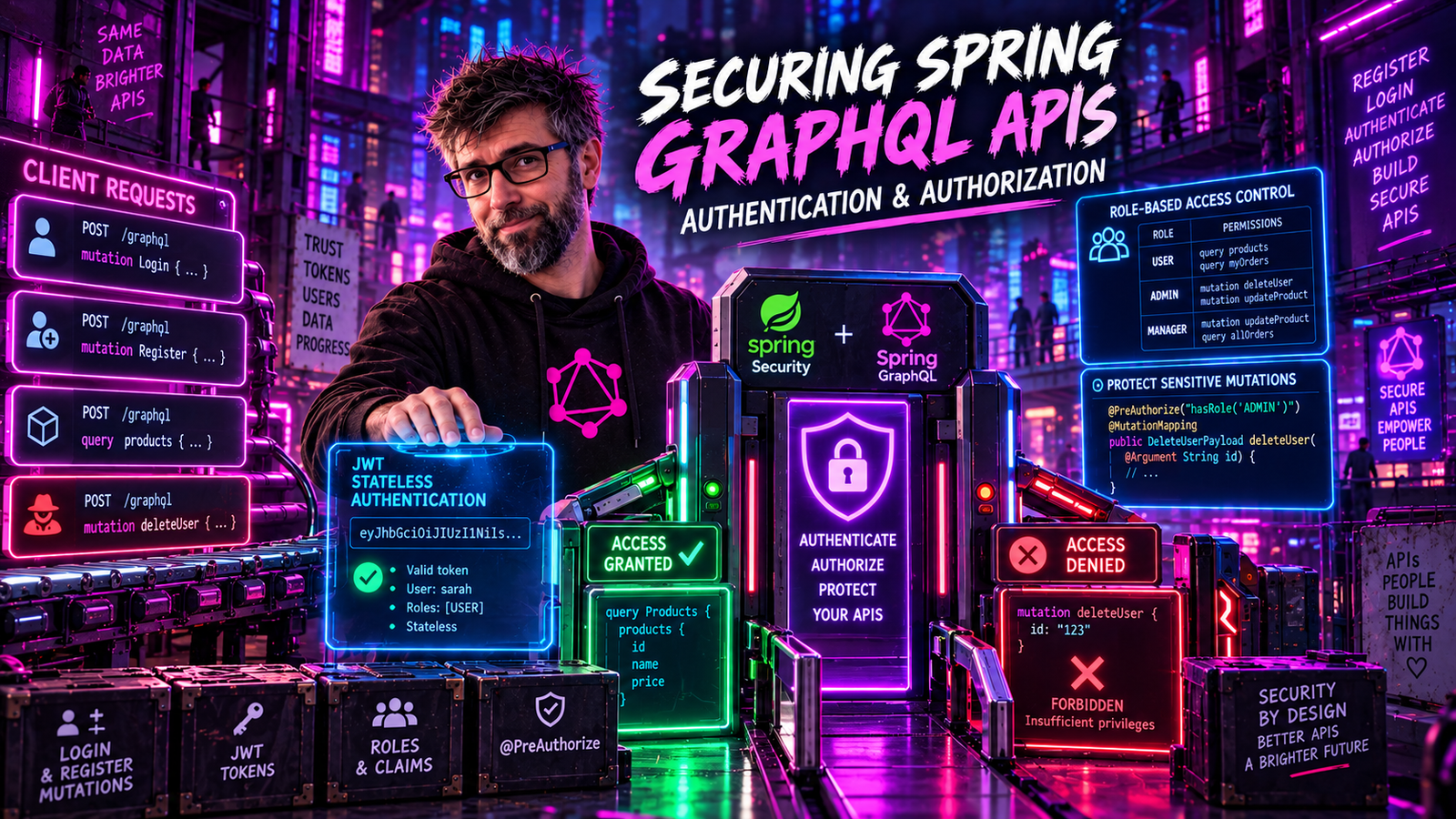
Your GraphQL API exposes your entire data graph. Learn how to protect it with Spring Security, from authentication to field-level authorization.
Security Challenges in GraphQL
GraphQL presents unique security challenges:
- Single endpoint - No URL-based access control
- Dynamic queries - Users choose which fields to access
- Nested data - Authorization must work at every level
- Introspection - Schema can reveal sensitive information
Spring Security integrates seamlessly with Spring GraphQL to address these challenges.
Setting Up Spring Security
Dependencies
<dependency>
    <groupId>org.springframework.boot</groupId>
    <artifactId>spring-boot-starter-security</artifactId>
</dependency>
<dependency>
    <groupId>org.springframework.boot</groupId>
    <artifactId>spring-boot-starter-oauth2-resource-server</artifactId>
</dependency>
Basic Security Configuration
@Configuration
@EnableWebSecurity
@EnableMethodSecurity(prePostEnabled = true)
public class SecurityConfig {

    @Bean
    public SecurityFilterChain filterChain(HttpSecurity http) throws Exception {
        http
            // Safe to disable only because this app authenticates with a
            // bearer token, never a cookie. If you authenticate with a session
            // cookie, leave CSRF protection on.
            .csrf(csrf -> csrf.disable())
            .authorizeHttpRequests(auth -> auth
                // GraphiQL is a development tool. Serve it only outside
                // production, and require authentication even there.
                .requestMatchers("/graphiql/**").authenticated()
                .requestMatchers("/graphql").authenticated()
                .anyRequest().authenticated()
            )
            .oauth2ResourceServer(oauth2 -> oauth2
                .jwt(Customizer.withDefaults())
            );

        return http.build();
    }

    @Bean
    public JwtDecoder jwtDecoder() {
        return JwtDecoders.fromIssuerLocation("https://your-auth-server.com");
    }
}
Authentication Methods
JWT Authentication
Most common for GraphQL APIs:
@Configuration
public class JwtConfig {

    @Bean
    public JwtDecoder jwtDecoder() {
        NimbusJwtDecoder decoder = NimbusJwtDecoder
            .withPublicKey(publicKey())
            .build();

        decoder.setJwtValidator(new DelegatingOAuth2TokenValidator<>(
            JwtValidators.createDefaultWithIssuer("https://your-issuer.com"),
            new JwtClaimValidator<>("scope", scope ->
                scope != null && scope.contains("graphql:read"))
        ));

        return decoder;
    }

    @Bean
    public JwtAuthenticationConverter jwtAuthenticationConverter() {
        JwtGrantedAuthoritiesConverter converter = new JwtGrantedAuthoritiesConverter();
        converter.setAuthoritiesClaimName("roles");
        converter.setAuthorityPrefix("ROLE_");

        JwtAuthenticationConverter jwtConverter = new JwtAuthenticationConverter();
        jwtConverter.setJwtGrantedAuthoritiesConverter(converter);
        return jwtConverter;
    }
}
Client request:
curl -X POST http://localhost:8080/graphql \
  -H "Authorization: Bearer eyJhbGciOiJSUzI1NiIsInR5cCI6IkpXVCJ9..." \
  -H "Content-Type: application/json" \
  -d '{"query": "query BookTitles { books { title } }"}'
API Key Authentication
For service-to-service communication:
@Component
public class ApiKeyAuthFilter extends OncePerRequestFilter {

    private final ApiKeyService apiKeyService;

    @Override
    protected void doFilterInternal(HttpServletRequest request,
                                    HttpServletResponse response,
                                    FilterChain chain) throws ServletException, IOException {

        String apiKey = request.getHeader("X-API-Key");

        if (apiKey != null) {
            ApiKeyDetails details = apiKeyService.validate(apiKey);
            if (details != null) {
                Authentication auth = new ApiKeyAuthentication(details);
                SecurityContextHolder.getContext().setAuthentication(auth);
            }
        }

        chain.doFilter(request, response);
    }
}
Query-Level Authorization
Method Security
Use Spring Security annotations on controller methods:
@Controller
public class BookController {

    @QueryMapping
    public List<Book> books() {
        // Anyone authenticated can list books
        return bookRepository.findAll();
    }

    @QueryMapping
    @PreAuthorize("hasRole('ADMIN')")
    public List<Book> allBooksIncludingDrafts() {
        return bookRepository.findAllIncludingDrafts();
    }

    @MutationMapping
    @PreAuthorize("hasRole('AUTHOR') or hasRole('ADMIN')")
    public Book createBook(@Argument CreateBookInput input) {
        return bookService.createBook(input);
    }

    @MutationMapping
    @PreAuthorize("hasRole('ADMIN')")
    public DeleteResult deleteBook(@Argument String id) {
        return bookService.deleteBook(id);
    }
}
Custom Authorization Logic
@Controller
public class BookController {

    @MutationMapping
    @PreAuthorize("@bookSecurity.canEdit(#id, authentication)")
    public Book updateBook(@Argument String id,
                           @Argument UpdateBookInput input) {
        return bookService.updateBook(id, input);
    }
}

@Component("bookSecurity")
public class BookSecurityService {

    private final BookRepository bookRepository;

    public boolean canEdit(String bookId, Authentication auth) {
        Book book = bookRepository.findById(bookId).orElse(null);
        if (book == null) return false;

        // Admins can edit any book
        if (hasRole(auth, "ADMIN")) return true;

        // Authors can edit their own books
        if (hasRole(auth, "AUTHOR")) {
            String userId = auth.getName();
            return book.authorId().equals(userId);
        }

        return false;
    }

    private boolean hasRole(Authentication auth, String role) {
        return auth.getAuthorities().stream()
            .anyMatch(a -> a.getAuthority().equals("ROLE_" + role));
    }
}
@PreAuthorize reads the authentication from SecurityContextHolder, which is a
thread local. GraphQL field resolution does not promise to stay on the request
thread. The moment a field is resolved through a DataLoader, returns a
CompletableFuture or Mono, or runs on any executor of your own, the resolver
can run on a thread where that thread local is empty.
An empty SecurityContextHolder does not fail loudly. It yields an anonymous
authentication, so hasRole('ADMIN') evaluates to false and your users get denied
for no visible reason. Fix it the wrong way, by loosening the rule until the error
stops, and you have an authorization check that passes for everyone.
Spring GraphQL ships the machinery for this. Context propagation is wired through
Micrometer's ContextSnapshot, and framework components that read thread locals
opt in explicitly: SecurityDataFetcherExceptionResolver calls
setThreadLocalContextAware(true) in its own constructor for exactly this reason.
DataFetcherExceptionResolverAdapter and SubscriptionExceptionResolverAdapter
expose the same switch.
Two habits keep you out of trouble:
- Test authorization on the async path, not just the synchronous one. A
@PreAuthorizetest that passes against a plain@QueryMappingproves nothing about the same annotation on a@BatchMapping. - Prefer authorizing in the service layer, where you are on a normal Spring call stack with normal propagation, over authorizing in the resolver.
Field-Level Authorization
The most granular level of control:
Using @SchemaMapping with Security
@Controller
public class UserController {

    @SchemaMapping(typeName = "User", field = "email")
    @PreAuthorize("@userSecurity.canViewEmail(#user, authentication)")
    public String email(User user) {
        return user.email();
    }

    @SchemaMapping(typeName = "User", field = "salary")
    @PreAuthorize("hasRole('HR') or @userSecurity.isOwner(#user, authentication)")
    public BigDecimal salary(User user) {
        return user.salary();
    }
}

@Component("userSecurity")
public class UserSecurityService {

    public boolean canViewEmail(User user, Authentication auth) {
        // Users can see their own email
        if (auth.getName().equals(user.id())) return true;
        // Admins can see any email
        return hasRole(auth, "ADMIN");
    }

    public boolean isOwner(User user, Authentication auth) {
        return auth.getName().equals(user.id());
    }
}
Schema Directives Approach
Define authorization in the schema:
directive @auth(requires: Role = USER) on FIELD_DEFINITION

enum Role {
    USER
    AUTHOR
    ADMIN
}

type User {
    id: ID!
    name: String!
    email: String! @auth(requires: USER)
    salary: Float @auth(requires: ADMIN)
    ssn: String @auth(requires: ADMIN)
}

type Mutation {
    createBook(input: CreateBookInput!): Book! @auth(requires: AUTHOR)
    deleteBook(id: ID!): Boolean! @auth(requires: ADMIN)
}
Implement the directive:
@Component
public class AuthDirective implements SchemaDirectiveWiring {

    @Override
    public GraphQLFieldDefinition onField(
            SchemaDirectiveWiringEnvironment<GraphQLFieldDefinition> env) {

        GraphQLFieldDefinition field = env.getElement();
        GraphQLFieldsContainer parent = env.getFieldsContainer();

        // Applied-directive API. GraphQLArgument.getValue() was removed from
        // graphql-java; read the argument off the applied directive instead.
        GraphQLAppliedDirective directive = env.getAppliedDirective();
        String requiredRole = directive.getArgument("requires").getValue();

        // Get original data fetcher
        DataFetcher<?> originalFetcher = env.getCodeRegistry()
            .getDataFetcher(parent, field);

        // Wrap with authorization check
        DataFetcher<?> authFetcher = environment -> {
            Authentication auth = SecurityContextHolder.getContext().getAuthentication();

            if (!hasRequiredRole(auth, requiredRole)) {
                throw new AccessDeniedException(
                    "Requires role: " + requiredRole);
            }

            return originalFetcher.get(environment);
        };

        // Register wrapped fetcher
        env.getCodeRegistry().dataFetcher(parent, field, authFetcher);

        return field;
    }

    private boolean hasRequiredRole(Authentication auth, String role) {
        if (auth == null) return false;
        return auth.getAuthorities().stream()
            .anyMatch(a -> a.getAuthority().equals("ROLE_" + role));
    }
}
Context Propagation
Make the authenticated user available throughout the request:
@Configuration
public class GraphQLContextConfig {

    @Bean
    public WebGraphQlInterceptor securityInterceptor() {
        return (request, chain) -> {
            Authentication auth = SecurityContextHolder.getContext().getAuthentication();

            request.configureExecutionInput((input, builder) ->
                builder.graphQLContext(context ->
                    context.put("currentUser", auth)
                ).build()
            );

            return chain.next(request);
        };
    }
}
Access in resolvers:
@Controller
public class BookController {

    @QueryMapping
    public List<Book> myBooks(DataFetchingEnvironment env) {
        Authentication auth = env.getGraphQlContext().get("currentUser");
        String userId = auth.getName();
        return bookRepository.findByAuthorId(userId);
    }
}
Protecting Against Common Attacks
Query Complexity Limits
Prevent resource exhaustion:
@Bean
public Instrumentation maxQueryComplexityInstrumentation() {
    return new MaxQueryComplexityInstrumentation(200);  // Max complexity
}

@Bean
public Instrumentation maxQueryDepthInstrumentation() {
    return new MaxQueryDepthInstrumentation(10);  // Max depth
}
Disabling Introspection in Production
One line of configuration does it:
spring:
  graphql:
    schema:
      introspection:
        enabled: false  # Disable in production
Spring Boot turns that into a call to graphql-java's Introspection.enabledJvmWide(false), which rejects __schema and __type at execution time with the error "Introspection has been disabled for this request". Two things about it are worth knowing. It flips a JVM-wide static that nothing sets back, so in a test suite it stays off for every later application context in the same JVM. And it leaves __typename working, which is exactly right: __typename is a meta-field real clients depend on, and answering it is not a schema dump.
Resist the urge to hand-roll this with an instrumentation that string-matches the query text. The obvious implementation is a trap:
// Don't. This rejects almost every real query.
String query = parameters.getQuery();
if (query.contains("__schema") || query.contains("__type")) {
    throw new AccessDeniedException("Introspection disabled");
}
"__typename".contains("__type") is true. Apollo Client adds __typename to every selection set it sends, so the moment the production profile activates, this check rejects essentially every query your own frontend makes. The property knows the difference; a substring search cannot.
Be clear about what disabling gives you, too. It stops the one-request schema dump. It does not stop schema discovery: a caller can still probe candidate field names and watch which ones come back with Cannot query field, which is precisely what tools like clairvoyance automate. Treat it as raising the cost of enumeration, and keep persisted queries and per-field authorization as the controls that actually decide what a caller is allowed to run.
Rate Limiting
@Component
public class RateLimitInterceptor implements WebGraphQlInterceptor {

    private final RateLimiter rateLimiter;

    @Override
    public Mono<WebGraphQlResponse> intercept(WebGraphQlRequest request,
                                               Chain chain) {
        Authentication auth = SecurityContextHolder.getContext().getAuthentication();
        String userId = auth != null ? auth.getName() : request.getRemoteAddress();

        if (!rateLimiter.tryAcquire(userId)) {
            return Mono.error(new RateLimitExceededException(
                "Rate limit exceeded. Try again later."));
        }

        return chain.next(request);
    }
}
Row-Level Security
Filter data based on user permissions:
@Service
public class BookService {

    public List<Book> findAccessibleBooks(Authentication auth) {
        Specification<Book> spec = (root, query, cb) -> {
            List<Predicate> predicates = new ArrayList<>();

            // Everyone sees published books
            predicates.add(cb.equal(root.get("status"), "PUBLISHED"));

            // Authors see their own drafts
            if (hasRole(auth, "AUTHOR")) {
                Predicate ownDrafts = cb.and(
                    cb.equal(root.get("authorId"), auth.getName()),
                    cb.equal(root.get("status"), "DRAFT")
                );
                predicates.add(ownDrafts);
            }

            // Admins see everything
            if (hasRole(auth, "ADMIN")) {
                return cb.conjunction();  // No filter
            }

            return cb.or(predicates.toArray(new Predicate[0]));
        };

        return bookRepository.findAll(spec);
    }
}
Audit Logging
Track who accessed what:
@Component
public class AuditInterceptor implements WebGraphQlInterceptor {

    private final AuditService auditService;

    @Override
    public Mono<WebGraphQlResponse> intercept(WebGraphQlRequest request,
                                               Chain chain) {
        long startTime = System.currentTimeMillis();
        Authentication auth = SecurityContextHolder.getContext().getAuthentication();

        return chain.next(request)
            .doOnSuccess(response -> {
                AuditEvent event = AuditEvent.builder()
                    .userId(auth != null ? auth.getName() : "anonymous")
                    .operation(extractOperationName(request))
                    .query(request.getDocument())
                    // Never log the raw variables map. It carries whatever the
                    // client sent: passwords, tokens, addresses, card numbers.
                    .variableNames(request.getVariables().keySet())
                    .duration(System.currentTimeMillis() - startTime)
                    .hasErrors(!response.getErrors().isEmpty())
                    .timestamp(Instant.now())
                    .build();

                auditService.log(event);
            });
    }
}
The document text is safe to log: it is the shape of the request, and under trusted documents it is a value you already approved. The variables are the opposite. They are the user's actual data, and an audit log is usually one of the most widely-readable stores in the company. Log the variable names if you want to know which arguments were supplied, and reach for a redacting serializer with an allow-list if you genuinely need values.
Security Best Practices Checklist
□ Authentication
  ├── Use JWT or OAuth2 for stateless auth
  ├── Validate tokens on every request
  └── Handle token expiration gracefully

□ Authorization
  ├── Implement method-level security
  ├── Add field-level checks for sensitive data
  └── Use row-level security for data filtering

□ Input Validation
  ├── Validate all inputs
  ├── Sanitize strings to prevent injection
  └── Limit input sizes

□ Query Protection
  ├── Set max query depth
  ├── Set max query complexity
  ├── Implement rate limiting
  └── Disable introspection in production

□ Monitoring
  ├── Log authentication failures
  ├── Track unusual query patterns
  └── Alert on security events
Summary
| Security Layer | Implementation |
|---|---|
| Authentication | Spring Security + JWT/OAuth2 |
| Query authorization | @PreAuthorize on methods |
| Field authorization | @PreAuthorize on @SchemaMapping |
| Data filtering | Row-level security in repository |
| Attack prevention | Complexity limits, rate limiting |
Security in GraphQL requires thinking at multiple levels. Spring Security provides the tools; you provide the rules. Protect your graph like you'd protect a REST API - at every entry point.
Next: Pagination and Filtering - handling large datasets in Spring GraphQL.
Introspection is disabled on this post. You can read every field it exposes, and you will have to guess at the ones I left out.