Error Handling in Spring GraphQL - From Chaos to Clarity
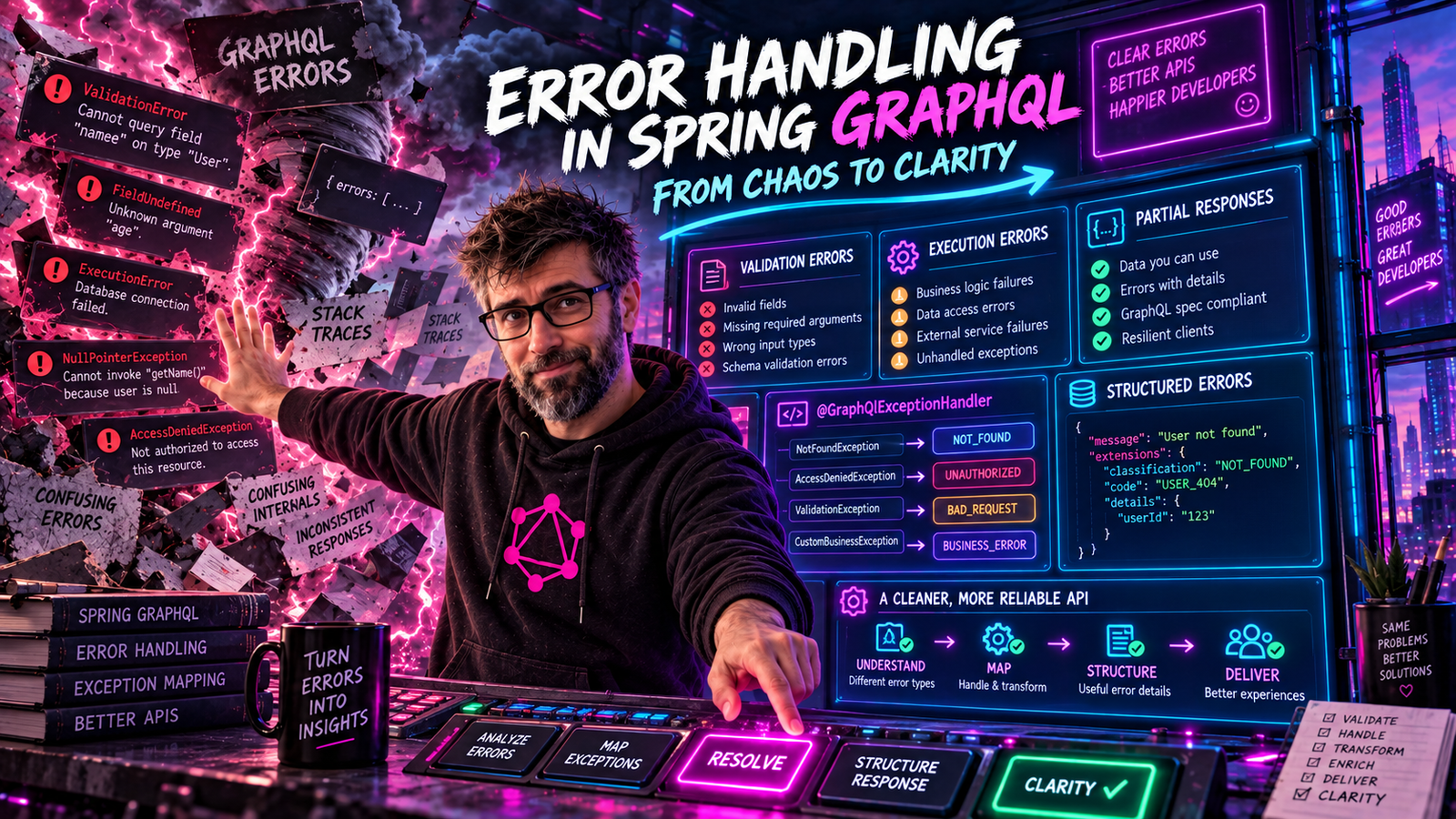
Errors happen. The question is: how do you communicate them to clients? Learn to transform cryptic exceptions into actionable GraphQL errors.
The Problem with Default Error Handling
When something goes wrong in your Spring GraphQL application, the default behavior isn't ideal:
@QueryMapping
public Book bookById(@Argument String id) {
    return bookRepository.findById(id)
        .orElseThrow(() -> new RuntimeException("Book not found"));
}
Default response:
{
  "errors": [
    {
      "message": "INTERNAL_ERROR for 8d3f2...",
      "locations": [{"line": 2, "column": 3}],
      "path": ["bookById"],
      "extensions": {
        "classification": "INTERNAL_ERROR"
      }
    }
  ],
  "data": {
    "bookById": null
  }
}
Problems:
- Generic "INTERNAL_ERROR" does not tell clients what went wrong
- Original message is hidden for security reasons
- No structured error information
Let's fix this.
GraphQL Error Anatomy
A GraphQL error has this structure:
{
  "message": "Human-readable error description",
  "locations": [{"line": 2, "column": 3}],
  "path": ["bookById"],
  "extensions": {
    "classification": "NOT_FOUND",
    "code": "BOOK_NOT_FOUND",
    "timestamp": "2024-01-29T10:30:00Z"
  }
}
| Field | Purpose |
|---|---|
message | Human-readable description |
locations | Where in the query the error occurred |
path | Which field failed |
extensions | Custom metadata (error codes, timestamps, etc.) |
Creating Custom Exception Classes
First, create a hierarchy of domain exceptions:
public abstract class GraphQLException extends RuntimeException {

    private final String errorCode;
    private final ErrorClassification classification;

    protected GraphQLException(String message, String errorCode,
                               ErrorClassification classification) {
        super(message);
        this.errorCode = errorCode;
        this.classification = classification;
    }

    public String getErrorCode() {
        return errorCode;
    }

    public ErrorClassification getClassification() {
        return classification;
    }
}
public class BookNotFoundException extends GraphQLException {

    private final String bookId;

    public BookNotFoundException(String bookId) {
        super(
            String.format("Book with id '%s' not found", bookId),
            "BOOK_NOT_FOUND",
            ErrorType.NOT_FOUND
        );
        this.bookId = bookId;
    }

    public String getBookId() {
        return bookId;
    }
}
public class ValidationException extends GraphQLException {

    private final List<FieldError> fieldErrors;

    public ValidationException(List<FieldError> fieldErrors) {
        super(
            "Validation failed",
            "VALIDATION_ERROR",
            ErrorType.BAD_REQUEST
        );
        this.fieldErrors = fieldErrors;
    }

    public List<FieldError> getFieldErrors() {
        return fieldErrors;
    }

    public record FieldError(String field, String message) {}
}
public class AuthorizationException extends GraphQLException {

    public AuthorizationException(String resource) {
        super(
            String.format("Not authorized to access %s", resource),
            "FORBIDDEN",
            ErrorType.FORBIDDEN
        );
    }
}
Why FORBIDDEN and not UNAUTHORIZED here? The two correspond to HTTP 401 vs 403:
UNAUTHORIZED(401): no/invalid credentials. Use this when the request is anonymous.FORBIDDEN(403): authenticated user lacks permission for the resource. Use this when the user is logged in but not allowed.
Spring's built-in SecurityDataFetcherExceptionResolver follows this convention automatically: it maps AccessDeniedException to UNAUTHORIZED for anonymous principals and to FORBIDDEN for authenticated ones.
Error Classifications
Start with what Spring GraphQL already gives you. org.springframework.graphql.execution.ErrorType
is an enum implementing graphql-java's ErrorClassification, with five constants:
BAD_REQUEST, UNAUTHORIZED, FORBIDDEN, NOT_FOUND and INTERNAL_ERROR. The
framework's own resolvers use it, so using it too means your errors and the
framework's errors classify the same way.
import org.springframework.graphql.execution.ErrorType;

throw new BookNotFoundException(bookId);   // resolves to ErrorType.NOT_FOUND
Define your own enum only for a category the built-in set genuinely lacks, such as
CONFLICT for a duplicate-key or optimistic-locking failure:
public enum AppErrorType implements graphql.ErrorClassification {
    CONFLICT,
    RATE_LIMITED;

    @Override
    public Object toSpecification(GraphQLError error) {
        return this.name();
    }
}
Name it something other than ErrorClassification. A custom enum with that name
shadows the graphql-java interface it implements, and you will spend an afternoon
reading a compiler error about it. AppErrorType is free and reads better
at the call site anyway.
The DataFetcherExceptionResolver
Spring GraphQL uses DataFetcherExceptionResolverAdapter to convert exceptions to GraphQL errors:
@Component
public class CustomExceptionResolver extends DataFetcherExceptionResolverAdapter {

    private static final Logger log = LoggerFactory.getLogger(CustomExceptionResolver.class);

    @Override
    protected GraphQLError resolveToSingleError(Throwable ex, DataFetchingEnvironment env) {

        if (ex instanceof GraphQLException graphQLEx) {
            return GraphqlErrorBuilder.newError(env)
                .message(graphQLEx.getMessage())
                .errorType(graphQLEx.getClassification())
                .extensions(Map.of(
                    "code", graphQLEx.getErrorCode(),
                    "timestamp", Instant.now().toString()
                ))
                .build();
        }

        if (ex instanceof ConstraintViolationException cve) {
            return handleValidationError(cve, env);
        }

        // Log unexpected errors
        log.error("Unexpected error during GraphQL execution", ex);

        // Don't expose internal error details
        return GraphqlErrorBuilder.newError(env)
            .message("An unexpected error occurred")
            .errorType(ErrorType.INTERNAL_ERROR)
            .extensions(Map.of("code", "INTERNAL_ERROR"))
            .build();
    }

    private GraphQLError handleValidationError(ConstraintViolationException ex,
                                                DataFetchingEnvironment env) {
        List<Map<String, String>> fieldErrors = ex.getConstraintViolations().stream()
            .map(violation -> Map.of(
                "field", violation.getPropertyPath().toString(),
                "message", violation.getMessage()
            ))
            .toList();

        return GraphqlErrorBuilder.newError(env)
            .message("Validation failed")
            .errorType(ErrorType.BAD_REQUEST)
            .extensions(Map.of(
                "code", "VALIDATION_ERROR",
                "fieldErrors", fieldErrors
            ))
            .build();
    }
}
Now errors look like:
{
  "errors": [
    {
      "message": "Book with id '999' not found",
      "locations": [{"line": 2, "column": 3}],
      "path": ["bookById"],
      "extensions": {
        "classification": "NOT_FOUND",
        "code": "BOOK_NOT_FOUND",
        "timestamp": "2024-01-29T10:30:00Z"
      }
    }
  ],
  "data": {
    "bookById": null
  }
}
Handling Multiple Errors
Sometimes a single request can have multiple errors. Use resolveToMultipleErrors:
@Override
protected List<GraphQLError> resolveToMultipleErrors(Throwable ex,
                                                      DataFetchingEnvironment env) {
    if (ex instanceof ValidationException ve) {
        return ve.getFieldErrors().stream()
            .map(fieldError -> GraphqlErrorBuilder.newError(env)
                .message(fieldError.message())
                .errorType(ErrorType.BAD_REQUEST)
                .extensions(Map.of(
                    "code", "VALIDATION_ERROR",
                    "field", fieldError.field()
                ))
                .build())
            .toList();
    }

    return null; // Fall back to resolveToSingleError
}
Response with multiple validation errors:
{
  "errors": [
    {
      "message": "Title is required",
      "extensions": { "code": "VALIDATION_ERROR", "field": "title" }
    },
    {
      "message": "Published year must be between 1000 and 2100",
      "extensions": { "code": "VALIDATION_ERROR", "field": "publishedYear" }
    }
  ]
}
Partial Responses
GraphQL can return both data and errors when some fields succeed and others fail:
query ExistingAndMissingBooks {
  book1: bookById(id: "1") { title }
  book2: bookById(id: "999") { title }
  book3: bookById(id: "3") { title }
}
{
  "errors": [
    {
      "message": "Book with id '999' not found",
      "path": ["book2"]
    }
  ],
  "data": {
    "book1": { "title": "The Great Gatsby" },
    "book2": null,
    "book3": { "title": "1984" }
  }
}
This is a powerful feature! Clients get all available data plus specific error information.
Union Types for Expected Errors
For errors that are part of normal business logic, consider using union types:
type Query {
    bookById(id: ID!): BookResult!
}

union BookResult = Book | BookNotFoundError | UnauthorizedError

type BookNotFoundError {
    message: String!
    bookId: ID!
}

type UnauthorizedError {
    message: String!
}
Implementation:
@QueryMapping
public Object bookById(@Argument String id, DataFetchingEnvironment env) {
    if (!authService.canAccessBooks(getCurrentUser())) {
        return new UnauthorizedError("Not authorized to access books");
    }

    return bookRepository.findById(id)
        .map(book -> (Object) book)
        .orElse(new BookNotFoundError("Book not found", id));
}
Client query:
query BookById {
  bookById(id: "123") {
    ... on Book {
      title
      author { name }
    }
    ... on BookNotFoundError {
      message
      bookId
    }
    ... on UnauthorizedError {
      message
    }
  }
}
Benefits:
- Errors are part of the schema (self-documenting)
- Type-safe error handling in clients
- Clear distinction between expected and unexpected errors
Logging and Monitoring
Track errors for debugging and monitoring:
@Component
public class ErrorLoggingInstrumentation extends SimplePerformantInstrumentation {

    private static final Logger log = LoggerFactory.getLogger(ErrorLoggingInstrumentation.class);
    private final MeterRegistry meterRegistry;

    public ErrorLoggingInstrumentation(MeterRegistry meterRegistry) {
        this.meterRegistry = meterRegistry;
    }

    @Override
    public InstrumentationContext<ExecutionResult> beginExecution(
            InstrumentationExecutionParameters parameters,
            InstrumentationState state) {

        return SimpleInstrumentationContext.whenCompleted((result, throwable) -> {
            if (result == null || result.getErrors().isEmpty()) {
                return;
            }
            for (GraphQLError error : result.getErrors()) {
                // Read the error type off the error, not out of extensions.
                ErrorClassification type = error.getErrorType();
                String classification = type != null ? type.toString() : "UNKNOWN";

                log.warn("GraphQL error: {} - {} - path: {}",
                    classification,
                    error.getMessage(),
                    error.getPath());

                meterRegistry.counter("graphql.errors",
                    "classification", classification).increment();
            }
        });
    }
}
Two details in there are easy to get wrong.
SimpleInstrumentation is deprecated in graphql-java; SimplePerformantInstrumentation is the current base class, and the beginExecution overload to override is the one that also receives an InstrumentationState.
More subtly, the classification does not live in getExtensions(). That map holds what you put in it. classification is added by graphql-java when the error is serialized into its specification form, so error.getExtensions().get("classification") returns null and every log line and metric ends up tagged UNKNOWN. getErrorType() is the accessor that gives you the value.
Client-Side Error Handling
Teach your frontend developers to handle errors properly:
// JavaScript client example
async function fetchBook(id) {
  const response = await fetch('/graphql', {
    method: 'POST',
    headers: { 'Content-Type': 'application/json' },
    body: JSON.stringify({
      query: `query Book($id: ID!) {
        bookById(id: $id) { title author { name } }
      }`,
      variables: { id }
    })
  });

  const { data, errors } = await response.json();

  if (errors) {
    for (const error of errors) {
      switch (error.extensions?.code) {
        case 'BOOK_NOT_FOUND':
          showNotification('Book not found');
          break;
        case 'UNAUTHORIZED':
          redirectToLogin();
          break;
        default:
          showNotification('Something went wrong');
          console.error(error);
      }
    }
  }

  return data?.bookById;
}
Error Handling Best Practices
1. Never Expose Internal Details
// Bad - exposes SQL details
throw new RuntimeException("ORA-00942: table or view does not exist");

// Good - generic message, log the details
log.error("Database error", e);
throw new GraphQLException("Unable to fetch data", "DATABASE_ERROR", ...);
2. Use Consistent Error Codes
Define a registry of error codes:
public final class ErrorCodes {
    public static final String NOT_FOUND = "NOT_FOUND";
    public static final String VALIDATION_ERROR = "VALIDATION_ERROR";
    public static final String UNAUTHORIZED = "UNAUTHORIZED";
    public static final String FORBIDDEN = "FORBIDDEN";
    public static final String RATE_LIMITED = "RATE_LIMITED";
    public static final String INTERNAL_ERROR = "INTERNAL_ERROR";
}
3. Include Helpful Context
// Bad
throw new BookNotFoundException("Not found");

// Good
throw new BookNotFoundException(bookId); // Message includes the ID
4. Document Errors in Schema
Use descriptions:
type Mutation {
    """
    Create a new book.

    Errors:
    - VALIDATION_ERROR: Invalid input
    - AUTHOR_NOT_FOUND: Author doesn't exist
    - DUPLICATE_ISBN: ISBN already exists
    """
    createBook(input: CreateBookInput!): Book!
}
Summary
| Scenario | Approach |
|---|---|
| Resource not found | Custom exception → NOT_FOUND classification |
| Validation error | List of field errors in extensions |
| Authentication failure (anonymous) | UNAUTHORIZED classification |
| Authorization failure (authenticated, lacks permission) | FORBIDDEN classification |
| Expected business errors | Union types in schema |
| Unexpected errors | Generic message, log details |
Good error handling makes APIs a joy to use. Your clients will know exactly what went wrong and how to fix it.
Next up: Subscriptions - real-time data with WebSocket support in Spring GraphQL.
This post returned partial data. The sections that landed are in data; anything that lost you is in errors, with a path pointing at the paragraph responsible.